Is your notes app training AI on your notes? Here's how to check
Your notes are the most personal things you write. Here's why that writing is so valuable to AI, and how to check what any notes app does with yours.
Open your notes app and scroll for a moment. Somewhere in there is a list of things to say to your landlord, half a business idea, a gift you’re planning, a worry you haven’t told anyone about yet. None of it was written for an audience.
That’s what makes notes different from almost everything else you type. A post or a review is written to be read. A note is you, thinking out loud.
It’s also why notes have become so interesting to the companies building AI.
Why your writing is worth so much
AI models learn from text, and they need enormous amounts of it. The most useful kind is natural writing by real people about real things, and the open web only holds so much of it. The writing people keep in the apps they use every day is a far deeper well.
So when one company makes both the apps you write in and the AI models behind its products, it faces a choice: should what you write in one become material for the other? Some companies answer that clearly, in writing. Others leave room in their policies to decide later, and a policy can change long after you’ve filled the app with years of notes.
Why it’s worth checking now
Two things make this more than a matter of principle.
Training can’t really be undone. A model doesn’t keep your note in a drawer you can empty. What it learned from your writing is spread through the whole model, and deleting your account later doesn’t take it back out.
Defaults decide for most people. Very few of us read a privacy policy or open every settings page. If a setting is on unless you turn it off, it’s on for almost everyone.
That’s no reason to panic about the apps you use. It’s a reason to spend five minutes finding out, before you write the next thousand notes.
Where to look
You don’t need to read a whole policy. You need to know where the answer lives and which words to search for.
The privacy policy
Open the app’s privacy policy and use your browser’s find (Ctrl F, or ⌘ F on a Mac). Search for each of these:
- train
- machine learning and model
- artificial intelligence and AI
- improve our services and develop new products
The best answer is a plain sentence saying your notes are never used to train AI. Phrases like “to improve our services” or “to develop new products” can cover a great deal, so if that’s all you find, read what’s around them.
The terms of service
The terms say what you allow the company to do with what you write. Look for the part about your content, usually under “your content” or “license”. A good one says your notes belong to you and are used only to give you the service. A license that also covers building new products deserves a closer read.
The settings
If the app has AI features, open its settings and find them. Check two things: whether they were on before you touched anything, and whether turning them off also covers training, or only hides the feature.
Five questions that settle it
Once you’ve looked, these tell you most of what you need to know.
1. Does it promise, in writing, not to train AI on your notes? A line on a home page is nice. A promise in the privacy policy or terms is one the company has to keep.
2. Is anything AI switched on by default? The fairest answer is that nothing reaches an AI until you choose it.
3. Does it pass your notes to another company’s AI? Some features hand your text to an outside AI provider. If an app does, its policy should name that provider and say what it may do with your words.
4. Will it ask before using your notes in a new way? Policies change. A good one promises to ask you first, not just to update a date at the bottom of the page.
5. Can you leave with everything? An app you can export from, in one file, is an app you can walk away from if its answers ever change.
Where Leaf stands
We make Leaf, so here are our answers. Everything below is in our privacy policy and terms.
- We never train AI on your notes. Not our own models, not anyone else’s. Both our privacy policy and our terms say so in plain words.
- We never sell your data.
- Your notes are yours. Our terms say everything you write in Leaf belongs to you, and we claim no rights to it.
- No AI reads your notes unless you choose it. Leaf doesn’t send your notes to any AI. If it ever offers AI features, anything that would send your notes elsewhere for AI will be off unless you turn it on.
- We’ll ask first. If we ever want to use your information in a new way, our privacy policy says we’ll ask you before we do.
- You can leave with everything. Export every note, from every notepad, in one file, on any plan.
AI on your terms
None of this means AI and notes can’t mix. Asking an assistant to sort a messy list or find last month’s meeting notes can be genuinely useful. The difference is who decides.
With Leaf Pro, you can connect an AI app such as Claude or ChatGPT to Leaf, so it can read and change your notes when you ask it to in a chat. Nothing connects until you sign in and choose Allow, and you can disconnect it at any time in Settings.
What you share with that app is then handled by its provider, under that provider’s own terms. So ask it the same five questions. Leaf itself still never uses your notes to train AI.
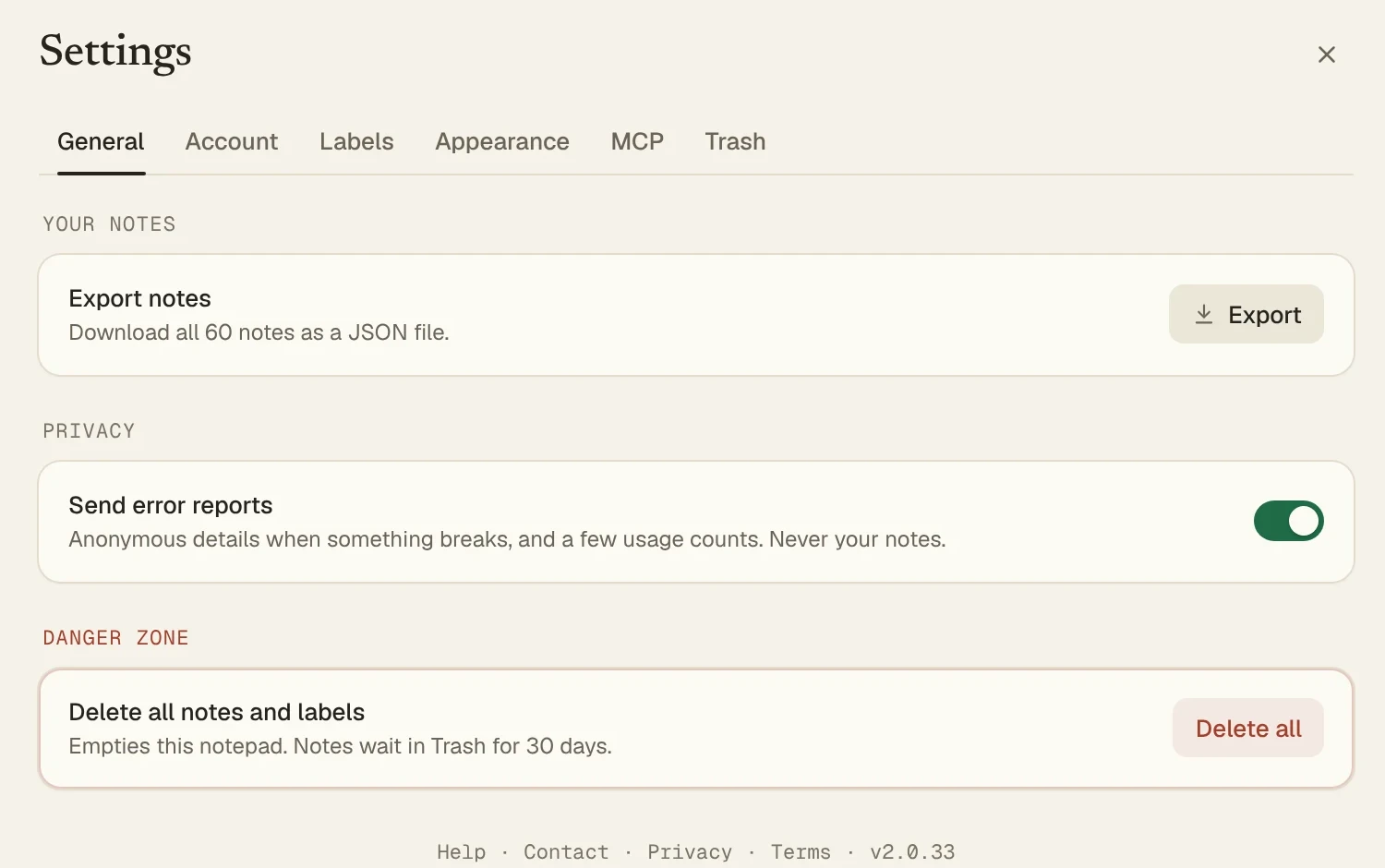
In Leaf: Leaf can send anonymous error reports so we can fix bugs. They never include the text or titles of your notes, or anything you type. If you’d rather send nothing at all, turn off Send error reports in Settings, under General. That also stops the anonymous usage counts.
Your five minute check
Pick the notes app you use now, and go through it:
- Search its privacy policy for “train” and “AI”
- Read what its terms say about your content
- Open its settings and check whether any AI features are on
- Find out whether it will ask you before its policy changes
- Export your notes once, so you know you can
If every box ticks the way you’d like, keep writing with a clear mind. If not, your notes deserve a home that will never turn them into training data. Leaf takes a minute to add to Chrome.