Write your first note
Answer
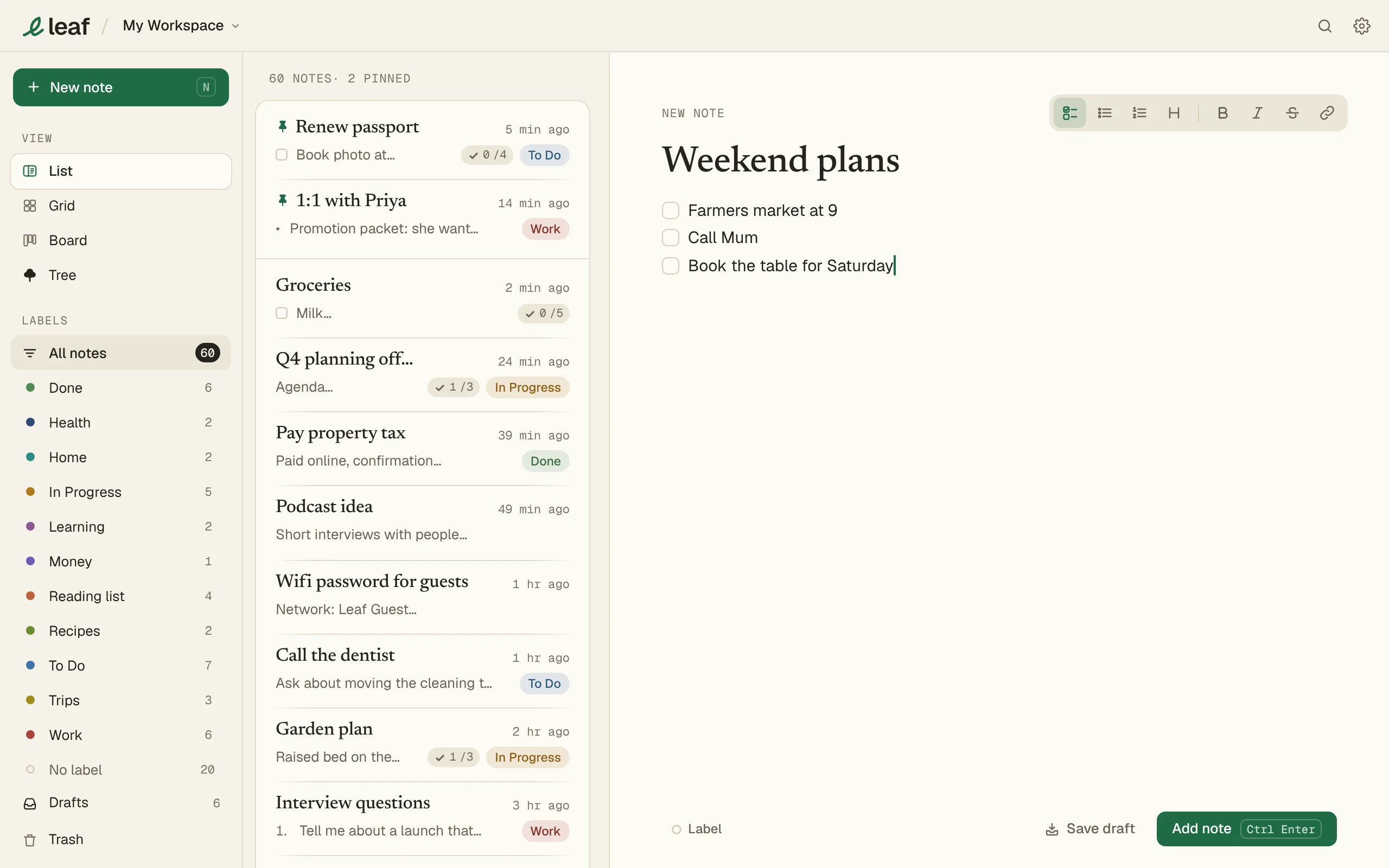
Type in New note, then press Add note. Leaf saves as you type.
Steps
- Click New note, or press N.
- Type a title, then the note.
- Press Add note, or Ctrl Enter (⌘ Enter on a Mac).
A title is optional.
Formatting
| Type | You get |
|---|---|
# then a space |
A heading |
- then a space |
A bullet list |
1. then a space |
A numbered list |
[] then a space |
A checkbox |
| Ctrl B / Ctrl I | Bold / italic |
| Ctrl K in a note | A link |
Tab indents a list item. Shift Tab brings it back. On a Mac, use ⌘ for Ctrl.
FAQ
Do I need an account?
No. Leaf works without one. Notes are saved on your device.
Does Leaf work offline?
Yes. Everything works without a connection.