The Tree view
Answer
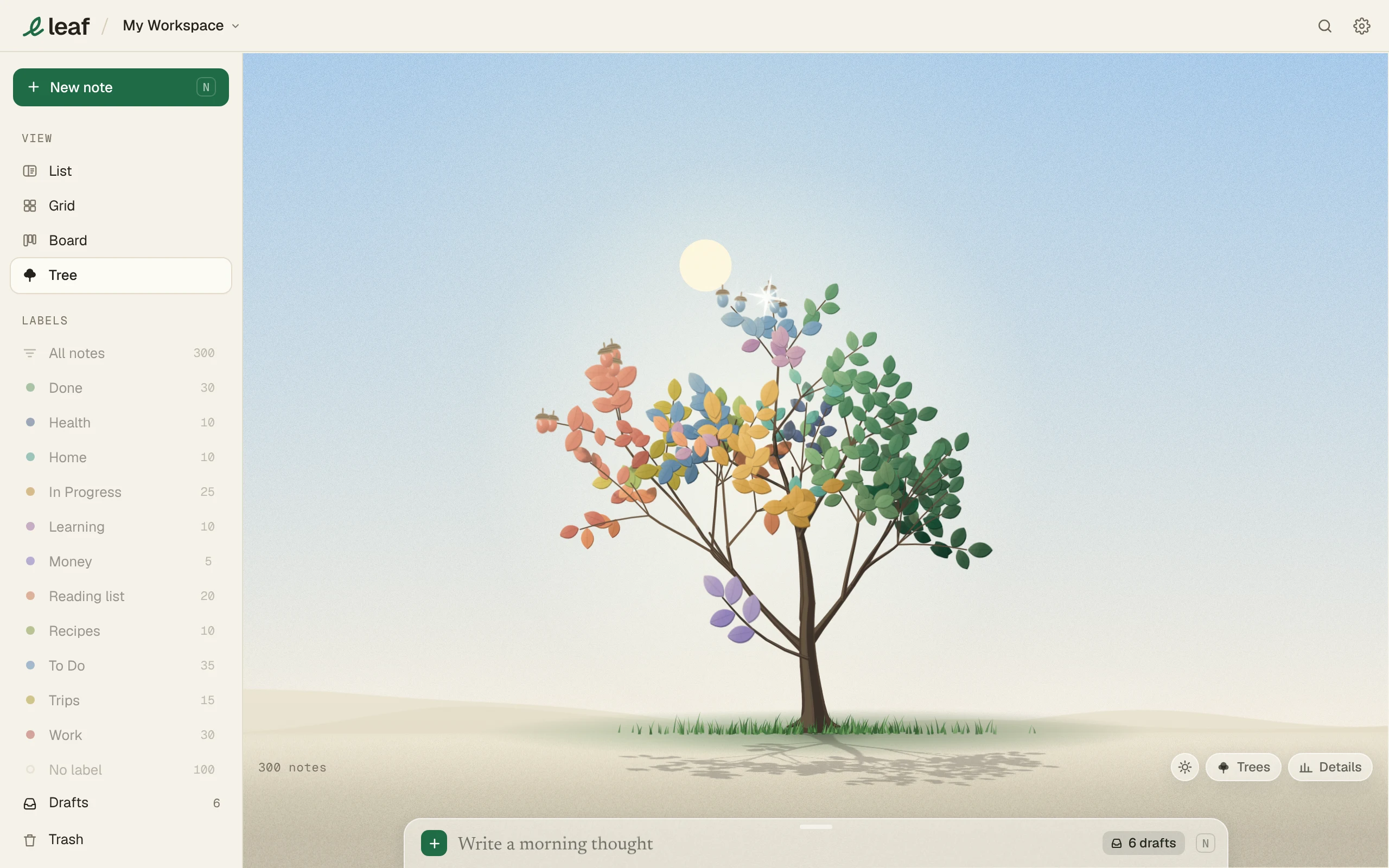
Every note is a leaf, colored by its label. Each workspace's tree starts as a seedling and grows as you write.
How it grows
- One leaf per note. Longer notes make bigger leaves.
- Every leaf is a note. The tree is as full as your workspace.
- A new workspace is a seedling. Your first notes are its first leaves.
- A tree is full grown at about 1,000 notes.
- A label with very few notes grows a small sprig low on the trunk.
- Oldest notes sit nearest the trunk.
- Deleted notes fall to the ground.
- Pinned notes show as the tree’s fruit, like acorns or cones.
- Write a few notes and the Tree button grows a small green bud. It goes once you open the Tree.
Use it
- Click a leaf to see its note.
- Drag to turn the tree.
- Scroll or pinch to zoom.
- The sun button shows or hides the sky. The sky follows your time of day.